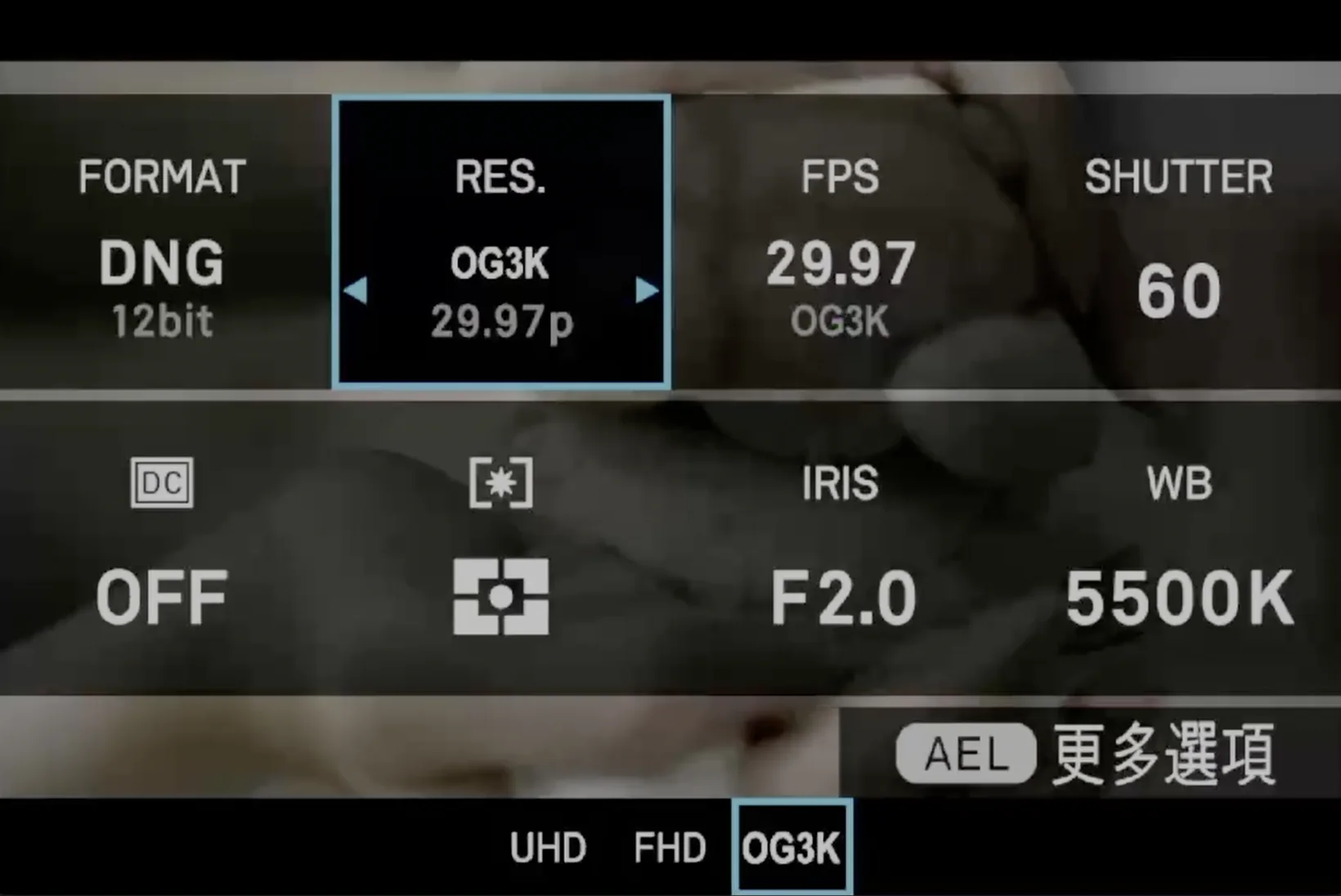
OG3K 佔用第三個欄位,所以 OG2K 不能共用同一張卡。
Records the sensor's whole 3:2 area as CinemaDNG — 3024×2010, 8, 10
or 12-bit, 23.976 to 100 fps — instead of the 16:9 window the camera normally
uses. Version v0.2.6a. This is an alpha: treat every take as disposable
until you have checked it.
Open gate on the fp was first done by Vitaly Li.
把感光元件整個 3:2 範圍錄成 CinemaDNG ——
3024×2010、8/10/12-bit、23.976 到 100 fps ——
而不是相機平常用的 16:9 範圍。版本 v0.2.6a。
這是 alpha 版:每段錄影在你檢查過之前,都當成可能不能用。
在 fp 上第一個做出 open gate 的是 Vitaly Li。
Thanks致謝
The first open gate on the SIGMA fpSIGMA fp 上的第一個 open gate · FP3K · Vitaly Li
Vitaly Li got open gate out of a SIGMA fp first, before OG3K existed. His FP3K records the full 3:2 height of the sensor and does the 2:1 reduction in the ISP. OG3K takes a different route to the same picture — the sensor's own 2×2-binned 3:2 mode — but it was his work that showed the fp could do it at all. His original post.
在 SIGMA fp 上第一個做出 open gate 的是 Vitaly Li,那時 OG3K 還不存在。 他的 FP3K 讀出感光元件完整的 3:2 高度,在 ISP 裡做 2:1 縮小。 OG3K 走的是另一條路 —— 用感光元件自己的 2×2 合併 3:2 模式 —— 但正是他的作品證明了 fp 做得到這件事。 他的原始貼文。
SIGMA fp (not fp L) on firmware Ver.5.02 exactly. How to check.
SIGMA fp(不是 fp L),韌體必須剛好是 Ver.5.02。怎麼確認。
Open fpSup-Merge with fpSup-OG3K ticked. You can add the gyro logger to the same card. You cannot add OG2K: both need the camera's third resolution slot, so the page will not let you tick both. Download the zip.
打開已勾好 fpSup-OG3K 的 fpSup-Merge。
同一張卡可以再加陀螺儀記錄。不能加 OG2K:兩個都要用相機的第三個解析度欄位,
所以頁面不會讓你兩個都勾。下載 zip。
Unzip. Copy AutoRun.txt, fpSup.BIN and the
FPSUPUI folder to the top level of the SD card the camera starts
from. Put the card in and turn the camera on with the USB cable unplugged.
Details.
解壓縮。把 AutoRun.txt、fpSup.BIN 和
FPSUPUI 資料夾複製到相機開機用的那張 SD 卡的最上層。
插卡,拔掉 USB 線再開機。細節。
The fpSup logo appears in the top left and four boxes fill one by one. All four white means it loaded; the camera's own screen comes back two seconds later. If the boxes stop filling, the load stopped there — see below.
左上角會出現 fpSup 標誌,四個方格一格一格填滿。
四格都變白就是載入完成,兩秒後相機自己的畫面會回來。
方格停住不再填,就是載入停在那裡 —— 看下面。
OG3K writes a lot of data. One 12-bit frame is 9.2 MB, and CinemaDNG writes one file per frame.
OG3K 的資料量很大。一格 12-bit 是 9.2 MB,而 CinemaDNG 是一格一個檔。
| what you record你錄什麼 | per frame每格 | speed needed需要的速度 |
|---|---|---|
| OG3K, 24p, 12-bitOG3K,24p,12-bit | 9.20 MB | 221 MB/s |
| OG3K, 24p, 10-bitOG3K,24p,10-bit | 7.68 MB | 184 MB/s |
| OG3K, 24p, 8-bitOG3K,24p,8-bit | 6.16 MB | 148 MB/s |
| the UHS-II SD card we measured我們量過的 UHS-II SD 卡 | 94 MB/s | |
| an external SSD we measured我們量過的外接 SSD | 390 MB/s |
If the storage is too slow, the camera stops recording after a few seconds. No setting fixes that. We recorded 31 OG3K clips to that 94 MB/s card and every one stopped at 4.1 seconds or less. With 9.2 MB files the card only reached 66 MB/s, so the real gap is close to 3×.
儲存太慢的話,相機會在幾秒後停止錄影,沒有任何設定救得了。
我們在那張 94 MB/s 的卡上錄了 31 段 OG3K,每一段都停在 4.1 秒以內。
用 9.2 MB 的檔案,那張卡只跑到 66 MB/s,所以真實差距接近 3 倍。
For OG3K, record to an external SSD over USB-C. It is the only storage we have measured that is fast enough. We have measured only one SD card, so we cannot say no SD card can do it — run the storage benchmark on the camera first; the number printed on the card is not the number you get.
OG3K 請錄到 USB-C 外接 SSD。它是我們量過唯一夠快的儲存。
我們只量過一張 SD 卡,所以不能說「沒有 SD 卡做得到」——
先在相機上跑儲存 benchmark;
卡上印的數字不是你拿到的數字。
Want to stay on SD? Use OG2K instead. Same full 3:2 picture at 98 MB/s — if your card records normal FHD cleanly, it records OG2K.
想繼續用 SD 卡?改用 OG2K。 同樣的完整 3:2 畫面,只要 98 MB/s —— 你的卡能乾淨錄一般 FHD,就能錄 OG2K。
1. Turn Super35 / crop off. With crop on, OG3K cannot record: you press record, nothing happens, and the camera does not say why.
1. 把 Super35 / crop 關掉。裁切開著的時候 OG3K 錄不了: 按下錄影什麼都沒發生,相機也不會告訴你為什麼。
2. Set the recording format to CinemaDNG. OG3K only exists while the format is CinemaDNG. Switching to MOV withdraws it; switching back brings it back.
2. 錄影格式設成 CinemaDNG。OG3K 只在 CinemaDNG 格式下存在。 切到 MOV 它就退出,切回來它就回來。
3. Choose OG3K in MENU → recording → resolution or
Quick Set → RES. Choose the frame rate and CinemaDNG quality (8, 10
or 12-bit) as you normally would.
3. 選 OG3K:MENU → recording → resolution 或
Quick Set → RES。
格率和 CinemaDNG 品質(8/10/12-bit)照平常的方式選。
The camera remembers the choice. If OG3K was the last resolution and the format is CinemaDNG, the card selects it again after the next start. That is why removal has an order.
相機會記住這個選擇。如果最後選的是 OG3K、格式是 CinemaDNG, 下次開機卡片會自動再選回它。這就是為什麼移除有順序。
| DNG sizeDNG 尺寸 | 3024×2010, default crop 3008×2000 (3:2)3024×2010,預設裁切 3008×2000(3:2) |
| bit depth位元深度 | 8 / 10 / 12-bit |
| frame rates格率 | 23.976, 24, 25, 29.97, 48, 50, 59.94, 100 |
| how做法 | the sensor's own 2×2-binned 3:2 readout; nothing is scaled down afterwards感光元件自己的 2×2 合併 3:2 讀出;之後沒有再縮小 |
Tested on a SIGMA fp, Ver.5.02:
在 SIGMA fp、Ver.5.02 上測過:
Not tested, or expected to be broken:
沒測過,或預期有問題:
One early OG3K test with a debug build froze after creating a clip. Later attempts did not repeat it. The full list is in the release README.
早期一次用 debug 版測 OG3K,在建立片段後凍結過,之後沒再重現。 完整清單在發行版 README。
1. While the card still works: set the resolution back to UHD or FHD in
MENU → recording → resolution or Quick Set → RES.
1. 趁卡片還能運作時:在 MENU → recording → resolution 或
Quick Set → RES 把解析度設回 UHD 或 FHD。
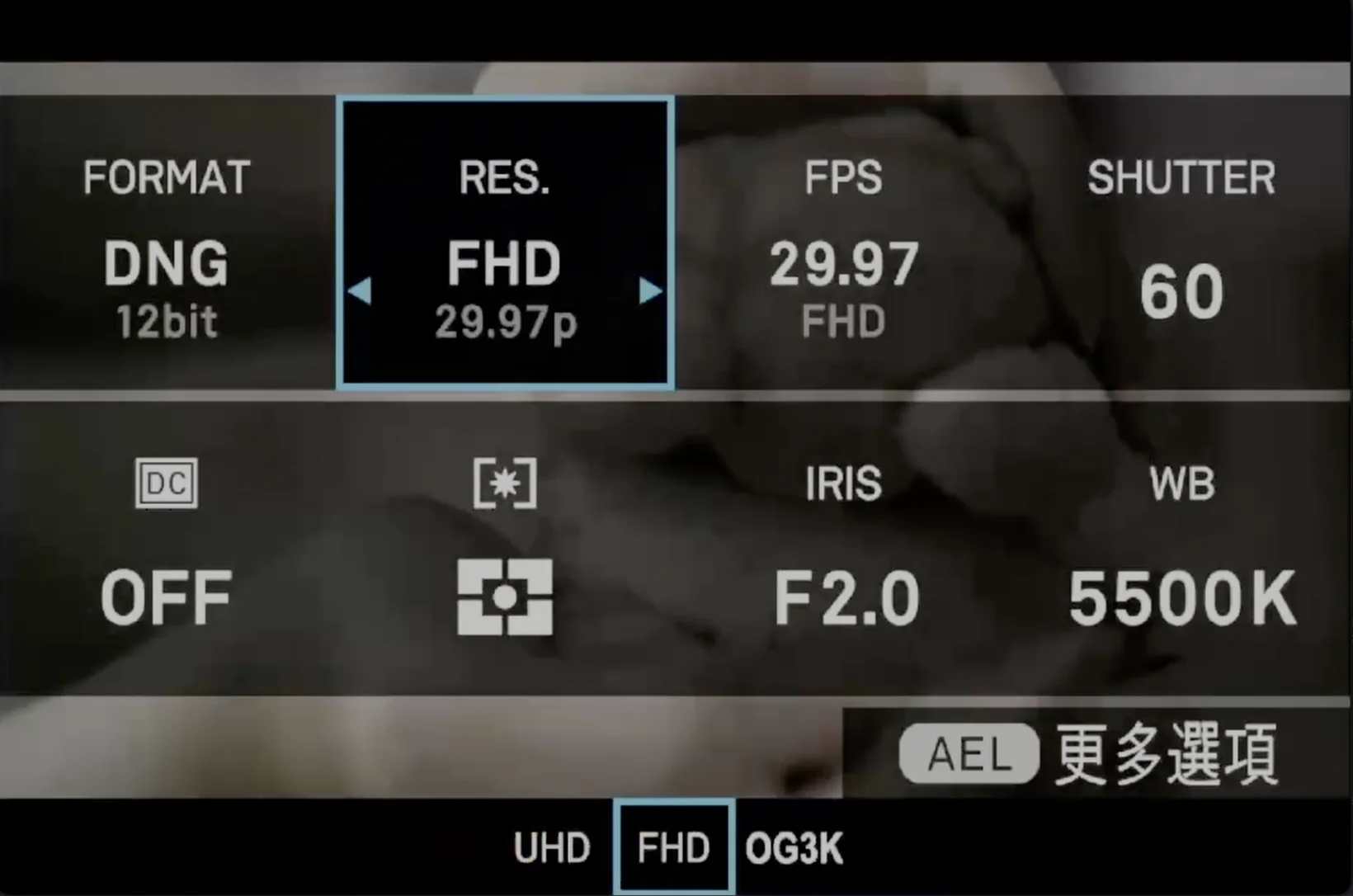
2. Then delete the files from the card, or take the card out, and switch the camera off. Details.
2. 然後把卡上的檔案刪掉,或把卡拿出來,再關機。 細節。
Already did it in the wrong order? Nothing is broken. Put the card back with its files, start the camera so OG3K exists again, set UHD or FHD, then remove it again.
已經照錯的順序做了?沒有東西壞掉。 把帶著檔案的卡插回去、開機讓 OG3K 重新存在、設成 UHD 或 FHD,再移除一次。
| what happens發生什麼 | what to do怎麼辦 |
|---|---|
| The boxes stop filling方格停住不再填 | The load stopped there. Build the card again in fpSup-Merge instead of reusing it. More in the general list.載入停在那裡。 在 fpSup-Merge 重做一張卡,不要沿用。更多見通用清單。 |
| No OG3K in the resolution menu解析度選單裡沒有 OG3K | The format is not CinemaDNG, or Super35 / crop is on.格式不是 CinemaDNG,或 Super35 / crop 開著。 |
| OG3K is selected but pressing record does nothing選了 OG3K,按錄影沒反應 | Super35 / crop is on. Turn it off.Super35 / crop 開著。關掉它。 |
| Recording stops after a few seconds錄影幾秒後就停了 | The storage is too slow — storage speed. Use an external SSD, a lower bit depth, or OG2K.儲存太慢 —— 見儲存速度。改用外接 SSD、較低的位元深度,或改用 OG2K。 |
| An 8-bit or 10-bit clip does not play back in the camera8-bit 或 10-bit 片段在機內放不出來 | Known and not fixed. Check the clip on a computer.已知問題,尚未修正。在電腦上檢查片段。 |
| You removed the files and now recording is wrong你把檔案刪了,現在錄影不正常 | The resolution is still set to OG3K. Put the card back, set UHD or FHD, then remove it again — Remove.解析度還停在 OG3K。 把卡插回去、設成 UHD 或 FHD,再移除一次 —— 見移除。 |
| The camera freezes相機凍結 | With the USB cable unplugged, take the battery out. Bring what you were doing to the Discord.拔掉 USB 線,把電池拿出來。 把當時在做什麼帶到 Discord 上說。 |